DNS DDoS Attacks: A Proactive Guide for Businesses
Reading time: 2 minutes
Last modified:

DNS DDoS attacks take down sites by flooding DNS servers with traffic until legitimate queries can’t get through. The consequences range from hours of downtime to full service paralysis. This post covers the practical steps to protect your infrastructure before an attack happens.
Recent Incident: The RatioKontakt Attack
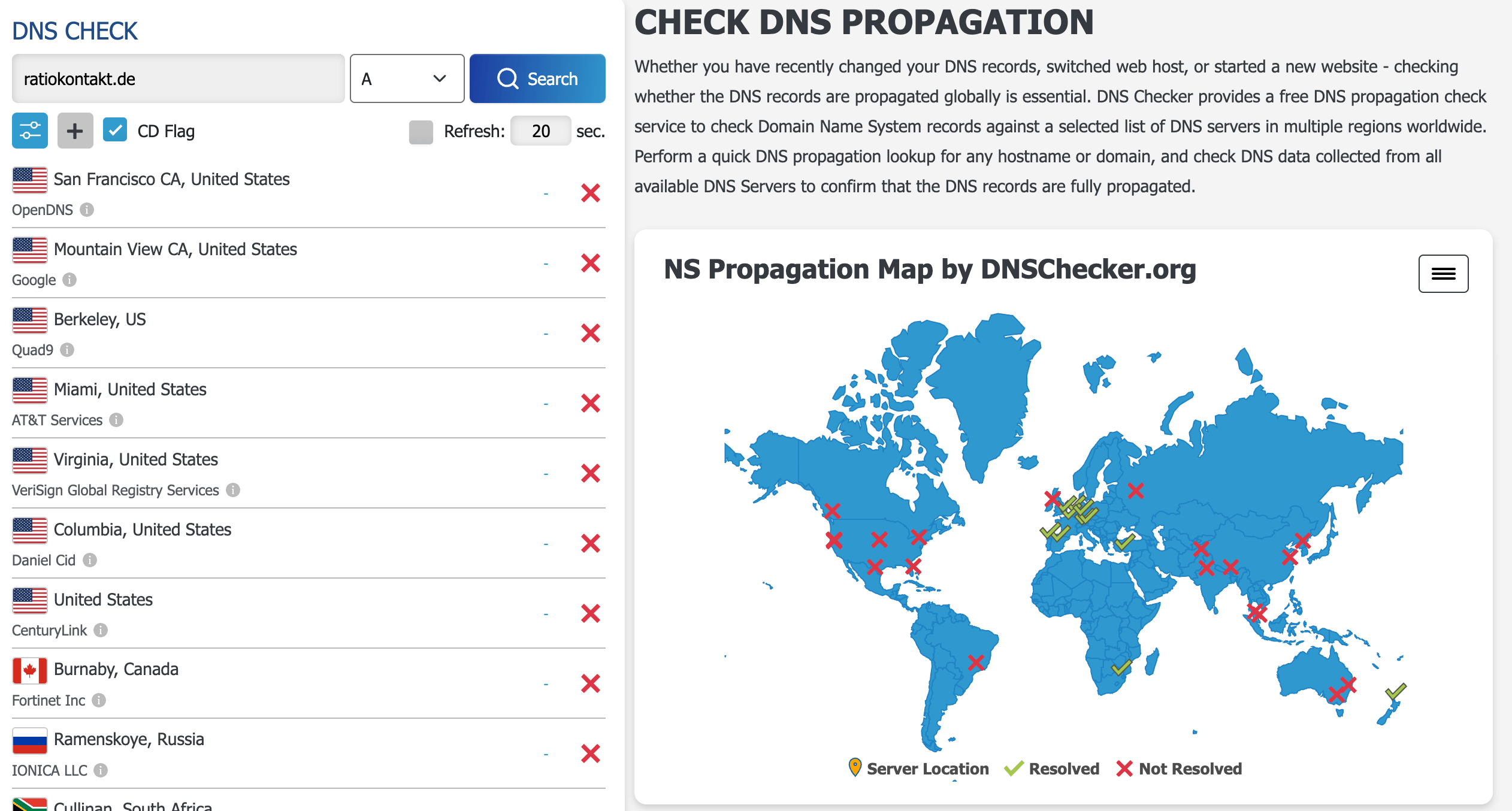
The attack on RatioKontakt shows what a well-executed DNS DDoS looks like. The attackers ran a multi-vector campaign that hit the DNS infrastructure and exploited specific vulnerabilities simultaneously, causing widespread service disruption across their entire client base. The response was slow because the failure modes hadn’t been planned for.
Run a Backup DNS
Set up secondary DNS servers on a different provider from your primary. When attackers flood your primary DNS, traffic reroutes to the secondary automatically. Without this, a successful attack against your single DNS provider takes your site down entirely.
Separate DNS from Your Registrar and Hosting
Many companies use the same provider for domain registration, DNS, and hosting. If that provider is attacked or compromised, everything goes down together. Move your DNS to a dedicated provider (Cloudflare, AWS Route 53, Google Cloud DNS) independent of wherever your servers live. The separation means a hosting outage doesn’t kill your DNS, and a DNS attack doesn’t affect your hosting credentials.
Prepare for Fast Switching
During an active attack, the ability to point your DNS at a different server IP in minutes is worth more than most mitigations. Set your TTL low (300 seconds or less) on critical records before you need to. Have the new IP or provider pre-configured so the switch is executing a plan, not improvising one.
Monitor and Audit DNS Settings
Unexpected DNS record changes are often the first sign of a compromise. Monitor for changes to your A, MX, and NS records. Most DNS providers offer change logging — enable alerts. Run a quarterly audit of your full DNS configuration and confirm that no records have drifted from what you intended.
Enable DNSSEC
DNSSEC cryptographically signs DNS responses, which stops attackers from injecting forged records pointing your domain at malicious infrastructure. It doesn’t prevent volumetric DDoS, but it blocks DNS spoofing and cache poisoning attacks that often accompany DDoS campaigns.
The businesses most exposed to DNS attacks are the ones that haven’t thought about the failure mode until it’s happening. Write to us at hello@cimpleo.com if you’d like a review of your current DNS setup.